

Is PicLumen free?
AI image creation with 10 daily Lumens for personal experiments on the free Basic plan.
Current free offer summary
Basic provides 10 Lumens per day without a credit card. Generation and editing costs vary by model and action; account access and daily generation limits apply. The free plan does not grant commercial-use rights.
PicLumen image examples
Artwork featured on PicLumen's official site. Select an image to view it full size.

A wide scene with a clear focal point
The shoreline divides land and water while the small boat draws the eye. Test your desktop icons over the image: detailed water and rocks may compete with labels even when the scene feels calm.

A bold portrait composition
The repeated shapes lead toward the sun and boat. Preview the crop on your actual screen; turning this tall composition into a wide wallpaper could remove its main subject.

Quiet space beside a detailed subject
Open sky gives the busy tree room to stand out. Check fruit, branches and the train’s small lettering, then compare the quieter area with the placement of your wallpaper icons or clock.

A fantasy portrait with a strong silhouette
The symmetrical wings frame the face. Review feather transitions, jewelry and whiskers; a dramatic wallpaper remains an invented creature rather than a wildlife photograph.
Provider artwork source · Source checked
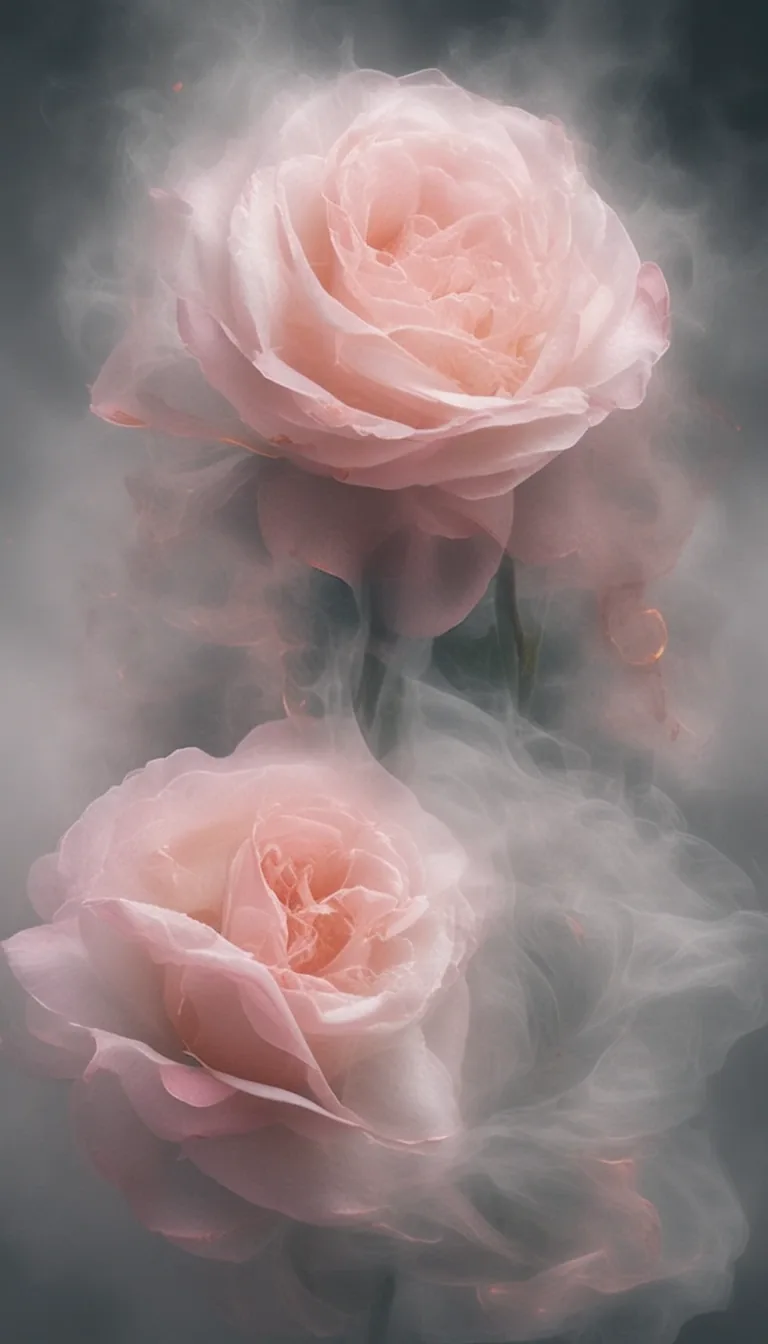
Soft details in a narrow composition
The limited colors and tall arrangement leave a calm impression. Check petals at full size and how the subject would sit around a phone’s clock and icons.
Provider artwork source · Source checked

A close-up built from repeated shapes
Repeated cubes create rhythm while the leaves add a contrasting texture. Inspect reflections and melting edges before using a similar close-up as a background.
Provider artwork source · Source checked
Source: PicLumen's official artwork previews. These are PicLumen’s published wallpaper previews, with the initial three checked October 3, 2026 and the additional sources checked October 8, 2026, not our own generated results. Their model, plan, credit cost and Basic export behavior are not established. The existing walkthrough explains Basic’s personal-use restriction.
Try the personal-wallpaper promptWhat PicLumen does
PicLumen provides text-to-image generation and editing with multiple models. Basic includes 10 Lumens per day, requires an account and does not require a credit card. Lumens spent vary by model and action, so the allowance is not a fixed image count. Basic does not include commercial-use rights.
- Text to image
- Image editing
- Style presets
Best for
- ✓ Personal wallpaper experiments
- ✓ Learning a model-specific Lumen budget
- ✓ Trying illustrations before selecting a licensed workflow
Important limits
- • 10 Lumens is not a guaranteed number of images
- • Model and action costs vary
- • Basic does not grant commercial-use rights
- • Check Basic export options; paid plans advertise watermark-free creation
- • The terms require users to be at least 18
FreeAIList verdict
A useful personal practice option when you want to compare image styles within a small daily budget. Check the action cost before generating and review the export before using it. Choose a licensed alternative or an appropriate paid plan before client work; extra credits alone do not establish commercial rights.
Paid plans: Paid tiers add Lumens, faster modes, watermark-free creation and different commercial licenses. Compare the current tier and billing term before buying.
About this practical guide
Sources checked Oct 2, 2026
This walkthrough is based on PicLumen’s official FAQ, pricing, getting-started guide, image tutorial and terms. The example prompt is for personal practice, not a tested output or an image-quality benchmark.
Compare free image tools →How to create and save your first PicLumen image
Begin with one personal illustration. A small test lets you learn the controls without committing the day's allowance to a large batch.
Sign in and open Image
Use Start For Free on PicLumen’s homepage and sign in with an available account method. In Studio, choose Image from the sidebar. Stay with Basic unless you deliberately want a paid plan.
Choose a model within your budget
Open Model and choose an option available to your account. Check the displayed Lumen cost before generating. A model being advertised on the homepage does not mean every setting fits the free allowance.
Write one focused prompt
Describe the subject, visual style and composition. Start with text only; add a reference image later if you have permission to use it and need the extra control.
Set the shape and output
Match the aspect ratio to where the image will go. For a laptop background, choose a landscape option if available. Start with one image and a modest resolution; review the cost again after changing settings.
Generate and inspect
Select Generate. Check the main subject, edges and unwanted writing before spending more Lumens. Keep the model and settings the same while changing one prompt instruction at a time.
Save the result you intend to use
Open the result and choose the available download option. Inspect the saved file at its intended display size, including any watermark or export restriction. Save the prompt alongside it so you can repeat the idea later.
Example: a quiet background for your own laptop
A personal wallpaper gives you a useful first target without treating Basic as a commercial license. Keep the middle of the image simple so desktop icons remain readable. This is a prompt to try, not a finished result.
Example prompt to try
Wide illustration of a small reading nook beside a rainy window, one armchair and a closed book, soft blue and warm amber palette, simple shapes, low contrast in the center, calm evening mood, no people, no lettering, no logos
- Is there a quiet area behind your desktop icons? If the whole scene is busy, ask for fewer objects rather than adding more detail.
- Does the frame match your screen? Cropping a tall image into a wide background may remove the subject; choose the shape before another generation.
- Look for stray lettering, warped furniture or repeated objects. Keep a good draft and change only the most distracting part of the prompt.
- Check the downloaded file on your actual desktop. Keep it for personal use; selling it, using it in client work or putting it in an advertisement requires an appropriate license.
What can you do with 10 daily Lumens?
Lumens are spending units, not a guaranteed image count. PicLumen says the amount consumed depends on the model and action. Read the cost shown for your chosen settings before planning a series of images.
For budgeting only: an action costing 2 Lumens would fit five times into a 10-Lumen balance; one costing 5 would fit twice. Those are arithmetic examples, not quoted prices for a PicLumen model. Leave room for a retry instead of spending the entire balance on your first batch.
When a balance or limit stops you, read the message before upgrading. A daily allowance, an action's cost and a paid subscription's monthly renewal are different rules. Relax Mode also has plan and model conditions; do not plan free unlimited generation around it.
Decide on the final export early. The current public pricing text does not give a dependable fixed Basic download count. The wallpaper guide advertises free output without watermarks, while pricing lists watermark-free creation among paid features. Check the download option for your selected model instead of assuming the same export rules apply everywhere.
PicLumen pricing, Lumen costs and Relax Mode conditions ↗Can you use PicLumen Basic for paid work?
No. PicLumen’s current FAQ and pricing page state that Basic has no commercial-use rights. Use the free tier for eligible personal experiments; do not build a client deliverable or an item for sale around it.
Paid licensing differs by tier. Before paying, check that the plan covers your intended job rather than assuming every upgrade gives the same rights. A larger Lumen balance alone does not establish a commercial license.
The terms also require users to be at least 18 and grant PicLumen broad usage rights over Public Content. Avoid confidential reference material in a personal experiment. If your project needs privacy or exclusive rights, review the relevant terms and plan before uploading anything.
PicLumen terms and plan-specific usage rights ↗When to choose Craiyon instead
Consider Craiyon when you want a simple illustration for a paid project and can include attribution. Its FAQ permits commercial use subject to its terms, with credit to Craiyon for free users; PicLumen Basic does not grant that permission.
Craiyon’s free results have watermarks, possible waits and an unspecified image allowance. Check the result at the size you need and agree where the credit will appear. For a clean or private client deliverable, compare the appropriate paid plans rather than assuming either free tier will fit.
Official sources
These links support the important free-offer claims on this page.
- PicLumen pricing and license tiers ↗
Lumen consumption depends on the model and action. Paid tiers advertise watermark-free creation and different commercial licenses. Basic has no commercial-use rights; current public pricing does not specify a fixed Basic download count.
- PicLumen free plan and access FAQ ↗
Basic includes 10 Lumens per day, requires an account, has no commercial-use rights, and PicLumen currently offers no developer API.
- PicLumen getting started and free access ↗
The official getting-started guide says free accounts include a daily quota with no credit card required, and identifies Studio as the creation workspace.
- PicLumen image-generation tutorial ↗
The tutorial documents opening Image, choosing Model, entering a prompt, setting aspect ratio and resolution, and selecting Generate. Its listed settings do not establish that every option is free.
- PicLumen wallpaper creation and download ↗
PicLumen documents a model/prompt/settings/download workflow and advertises free wallpapers without watermarks. This does not establish export rules for every Basic model or a fixed download count.
- PicLumen terms and Public Content rights ↗
The terms require users to be at least 18, refer commercial licensing to subscription plans, and grant PicLumen broad usage rights over Public Content.