
Is Ideogram free?
AI image and lettering concepts with 30 weekly credits for eligible Free accounts.
Current free offer summary
Free is listed at $0. Current account and plan docs specify 30 weekly credits for Google, Apple or Microsoft sign-ins; email/password accounts receive none. Costs vary with model, size, quality and output count. Free work is public. The API overview says app and API share a credit balance; free weekly-credit eligibility through the API is not specified.
Ideogram image examples
Artwork featured on Ideogram's official site. Select an image to view it full size.

Character and material detail
Paper folds, soft light and a blurred background give the character depth. Inspect the fingers, page edges and small lettering when reviewing a similar image.
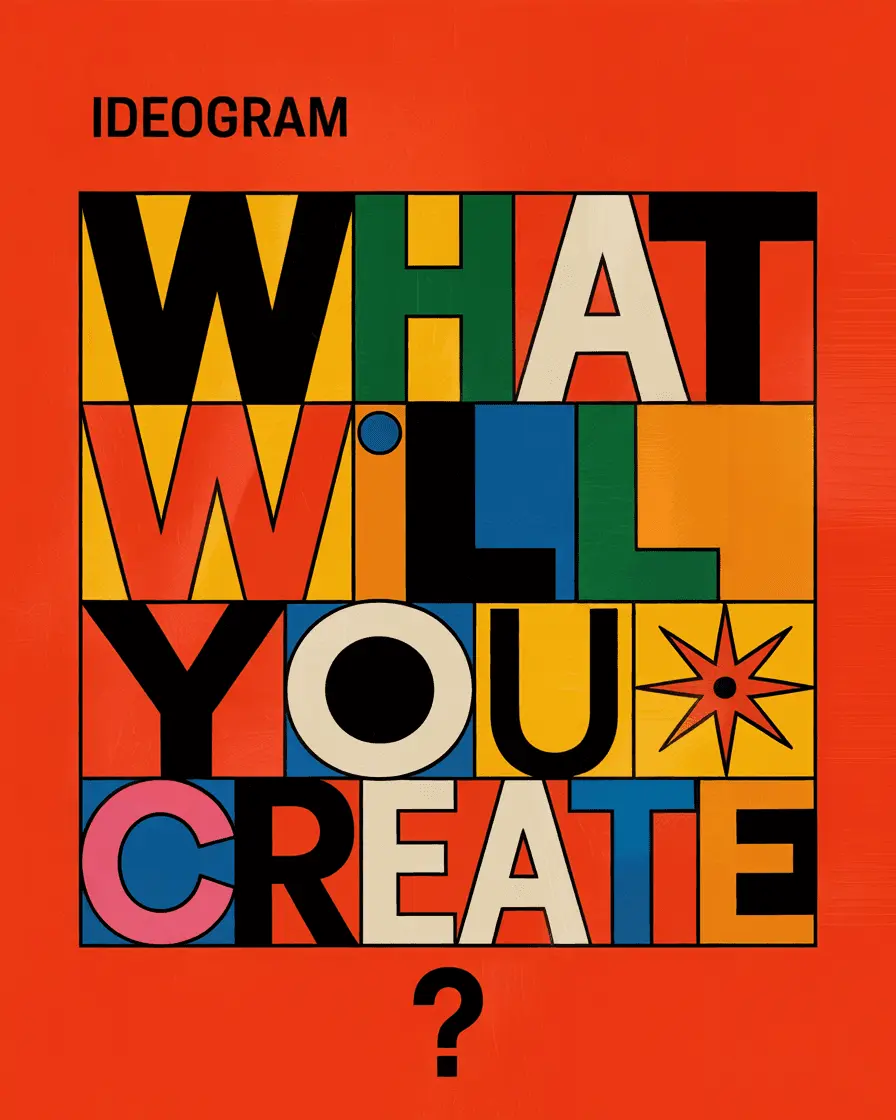
Bold poster lettering
Large letters and blocks of color make a short headline the focal point. Keep the requested wording concise and check every letter before sharing your own design.
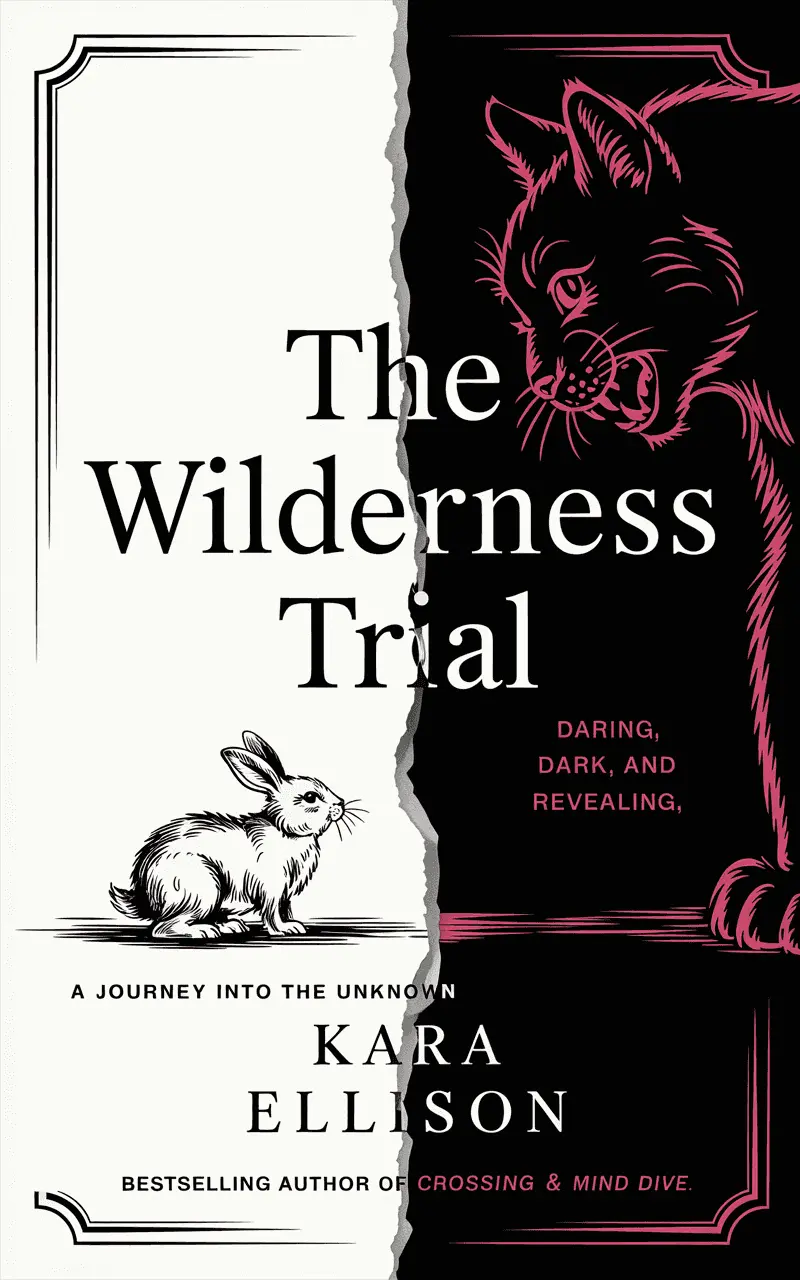
Book-cover composition
The torn-paper split and contrasting animals establish a clear visual theme. For a finished cover, check small text and keep author names editable in a design tool.

A fox astronaut explores a luminous alien landscape
Small points of colored light guide attention toward the helmet. Inspect the visor reflection and paws before choosing a similar character concept.
Provider artwork source · Source checked
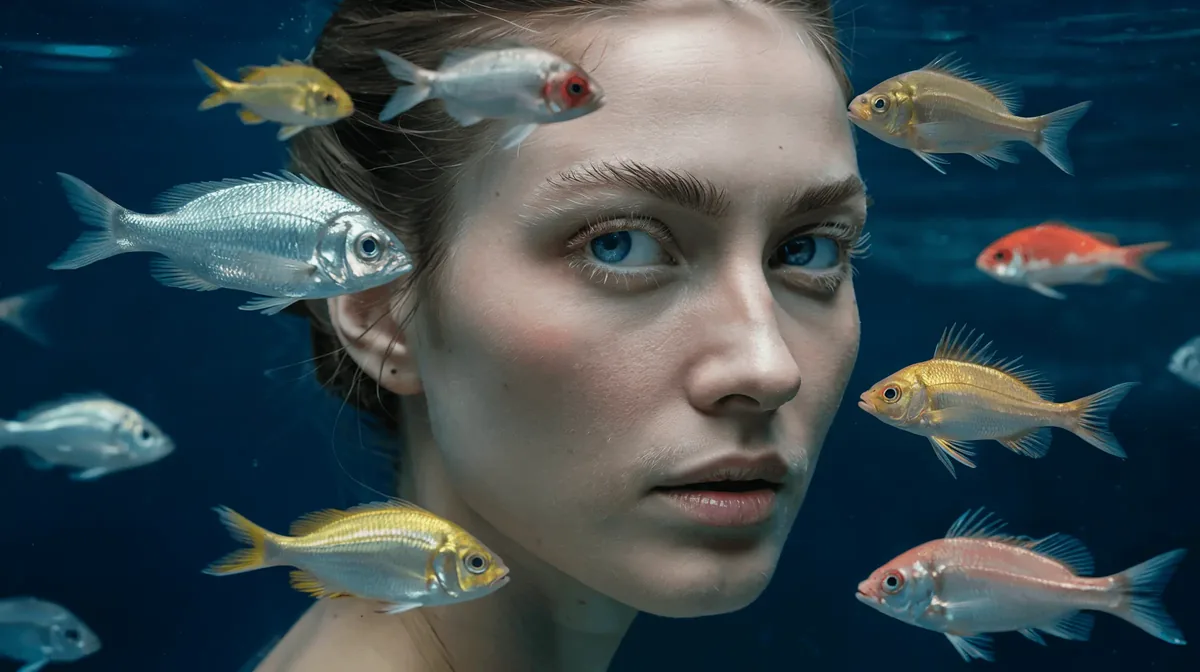
An underwater portrait with a living frame
Fish at different depths frame the face. Examine eye direction, bubbles and overlapping edges; this surreal portrait is generated artwork rather than a real underwater photograph.
Provider artwork source · Source checked

Scale turns a familiar bird into a story
The cars establish the bird’s exaggerated size. Compare shadows, feet and contact with the bridge when reviewing your own unusual scale experiments.
Provider artwork source · Source checked
Source: Ideogram's official artwork previews. These previews come from Ideogram's 3.0 model showcase; their account tier and creation costs are not identified.
Try the poster-lettering promptWhat Ideogram does
Ideogram generates images from prompts, including designs with short rendered headlines. Current account and plan documentation lists 30 credits each week for eligible Google, Apple or Microsoft sign-ins; model and output settings change the cost. Free generations are public. Check the Generate button before a run and the Download menu before export, then proofread the result. The current API overview describes a shared app/API credit balance.
- Text to image
- Image remixing
- Typography in images
Best for
- ✓ Short headline and poster concepts
- ✓ Public visual experiments with a small weekly budget
- ✓ Illustrations to finish with editable text in a design tool
Important limits
- • Free-credit eligibility depends on the sign-in method
- • Thirty weekly credits is not a fixed image count; model and settings change costs
- • Free generations are public; new private images require a qualifying paid plan
- • Free original-size JPEG exports; transparent images can download as PNG at 1K
- • Upscale downloads need a paid plan and spend credits
- • Rendered lettering still needs proofreading
- • API calls can spend the shared app credit balance; confirm current API eligibility and costs
FreeAIList verdict
Worth trying for a public poster concept with a short headline. Confirm free-credit eligibility first, check costs before generating and proofread every letter. Finish dates and venue details as editable text. Choose a private workflow for confidential briefs; the Free plan is not suitable for them.
Paid plans: Paid plans add monthly credits and private generation, with plan-specific export and workflow features. Upscale downloads require a paid plan and credits; consult current pricing and API usage costs.
About this practical guide
Sources checked Oct 3, 2026
This guide uses Ideogram’s current official pricing, registration, generation, typography, download and privacy documentation. The poster prompt is an original practice brief, not a tested result; no image generation, speed or export-quality test is claimed.
Compare free image tools →How to start an Ideogram image on the free plan
Start with a public practice design you can safely share. Free eligibility depends on how you register: Ideogram says Google, Apple and Microsoft accounts can receive free credits, while email/password accounts do not include them.
Choose an eligible sign-in method
Open Ideogram and register with Google, Apple or Microsoft if you want to try Free. Choose the correct account and a public username carefully. The registration guide says the sign-in account and username cannot be changed later.
Check the allowance before drafting
Look at the balance and available generation settings in your account. Stay with a Free-compatible option; do not treat a model advertised on the homepage as a promise that all its settings fit your allowance.
Open the Image app
Choose Image in the sidebar, or use the Home box with Image selected. Describe one image; choose an available model, aspect ratio and small output count. The Generate button shows the cost; Auto shows an estimate rather than a fixed cost.
Make the lettering part of the brief
Put a short headline in quotation marks near the start of the prompt. Describe its placement and appearance. Keep addresses, dates and long paragraphs for an editor where you can type and correct them directly.
Submit and compare
Select Generate in the Image app, or the arrow in the Home box. On mobile, Home Enter adds a new line, so use the arrow. Premium models or exhausted free credits can open an upgrade window; stay with an eligible option. Inspect and proofread the result before another attempt.
Example: a poster concept with a short headline
Imagine a community book swap that needs a friendly visual direction. Ask for a single headline and a simple illustration, then add the actual event details yourself. This is a prompt to try, not a demonstrated finished poster.
Example prompt to try
A flat poster design with the exact headline "BOOK SWAP" in large dark navy block lettering at the top. Below it, three illustrated books and a small leafy sprig, warm cream background with teal and orange accents, clean outlines, generous empty space at the bottom for event details, no other words, no logos, front-facing design rather than a photograph of a poster.
- Check every letter against BOOK SWAP. If a character is missing, distorted or repeated, simplify the illustration or replace the headline with typed text in your editor.
- View the design at phone size. A decorative headline that looks good enlarged may become hard to read in a social post.
- Keep date, venue, organizer and accessibility details as editable text. Proofread the final export separately from the generated preview.
- Keep the idea public and generic while practicing. Do not include a confidential event plan or personal contact details in the prompt.
How to plan around 30 weekly credits
Current account and plan documentation specifies 30 credits each week for Google, Apple or Microsoft sign-ins. The pricing FAQ still says the amount may vary, so check your live balance and refill information. Thirty credits is not a fixed image count: model and output settings change the cost.
Credit usage changes with the model, render speed, number of outputs and other settings. Compare the displayed cost before submitting. For a poster, reserve capacity for a spelling correction instead of using the entire allowance on several decorative variations.
If the allowance runs out, save the best draft and finish the layout in an editor while waiting for the next refill. Slow-queue waiting and an exhausted balance are different problems; there is no measured wait-time estimate in this guide. Choose a paid plan only if its current capacity and features fit your deadline.
The current API overview says the app and API share one credit balance. API calls can spend regular credits, so keep your keys private and check API usage costs. This documentation does not explicitly establish that the Free weekly credits are eligible for every API request; confirm that in your account before planning a developer workload.
Ideogram plan and credit-system documentation ↗Download, privacy and commercial use
Open the image’s asset page and select Download in the action bar. Use the menu rather than a browser right-click save. Without a paid plan, the current guide allows original-size JPEG; transparent images are an exception and can download as PNG at 1K. Other PNG/WebP and upscale downloads need a paid plan, and upscale downloads spend credits.
Read the button before saving: it can say Download, Upscale & download with a credit cost, or Subscribe to download. Grid shortcuts use original size, choosing JPEG without a paid plan unless the image is transparent. Inspect the saved file at your intended display size and preserve any marks or provenance.
Free prompts and images are public. Private generation requires Plus or higher according to the privacy guide. An unannounced product, private client brief or reference photo with personal information is a poor fit for public practice. Choosing an eligible free account does not make your work private.
Ideogram permits commercial use of generated output under its terms. That permission does not promise a unique design or resolve other people’s rights. For a paid poster, check permissions for uploaded material and avoid presenting an AI-generated logo as an exclusive brand asset. Users must be at least 13; minors below their jurisdiction’s age of majority need a parent or guardian to accept the terms on their behalf.
Ideogram’s current download controls and restrictions ↗When to choose Canva instead
Choose Canva’s poster editor when the event information must be exact or easy to update. Its free poster workflow supports templates, your own details and text over an image. You can use an Ideogram illustration as a visual starting point and type the final headline, date and venue yourself.
The editor solves layout and proofreading; it does not give you extra Ideogram credits or turn a public image private. Choose assets and features available to your plan, check their usage conditions, and confirm the export before ordering prints. Our Canva page covers Magic Media separately from the manual poster workflow.
Official sources
These links support the important free-offer claims on this page.
- Ideogram live pricing and Free feature comparison ↗
Pricing lists Free at $0 with weekly credits for eligible accounts and says the amount may vary; current account and plan docs specify 30 weekly credits. Costs depend on model and render settings. Private generation is a paid feature. The checked pricing page does not explicitly state a Free-plan card requirement.
- Ideogram current plans and weekly credit budget ↗
Free is $0 with 30 weekly credits for Google, Apple or Microsoft sign-ins; email/password accounts receive none. Model, quality, size and output count change costs. Free users wait for the next weekly allowance or buy credits when exhausted; Free output is public.
- Ideogram current sign-in and free-credit eligibility ↗
Google, Apple and Microsoft sign-ins receive 30 credits a week. Email/password accounts receive none. Skip the paid plan choice to remain Free. Sign-in methods create separate accounts and usernames cannot be changed later.
- Ideogram current Image app and generation controls ↗
Start with the Home image box or Image app. The Generate button shows the credit cost; Auto shows an estimate. Free users without bought credits see an upgrade window for premium models or exhausted credits. Free generation is public.
- Ideogram current prompted text and lettering limits ↗
Quote short exact text, describe placement and lettering, and keep the scene simple. Long passages are better added in an editor; spelling can fail. This is prompting guidance, not a tested result or a free-feature guarantee.
- Ideogram current free and paid download options ↗
Without a paid plan, original-size JPEG is available; transparent images can download as PNG at 1K. Other PNG/WebP and upscale downloads require a paid plan; upscales spend credits. The menu shows available size and format options; grid shortcuts use original size.
- Ideogram current public and private generation rules ↗
Everything generated on Free is public. Plus, Pro, Team and Enterprise keep new images private until published; legacy Basic does not. Free registration does not provide confidential generation.
- Ideogram current shared app and API credit balance ↗
Settings API Overview shows the current plan, balance, key creation and usage tracking. App and API share one credit balance; API calls spend regular credits. This page does not explicitly establish that Free weekly credits are eligible for every API request.
- Ideogram output use, third-party rights and age terms ↗
Terms permit generated output use including commercial purposes, but output may not be unique and users remain responsible for third-party rights. Users must be at least 13; minors below legal majority need parent or guardian acceptance. Do not infer exclusivity or universal rights clearance.
- Canva poster editor as an alternative workflow ↗
Canva documents a free poster maker with templates, editable event details, text over images and design export. This supports the manual-layout comparison, not a claim of unlimited AI generation or free printing.