
Is TikTok Symphony Creative Studio free?
Free TikTok-focused video creation and editing; exact generation quota and included models need an account check.
Current free offer summary
September credit guidance documents a Basic plan without Ads Manager linkage or ad delivery: credits renew Monday at 00:00 UTC and unused credits expire. Exact universal quantity is unstated. Our October 11 Starter account showed 400 weekly base credits, 0 bonus and no linked advertiser. Three Video 1.5 Pro requests at five seconds/five credits each moved the balance 400→395→390→385. All originals downloaded at 1080×1920/30 fps with audio and AI-generated labels; resolution/shape controls were not exposed. Newer Dreamina Seedance 2.0 was unavailable; model-specific advertiser-spend gates remain separate. Recheck your own allowance and quote. Website rehosting rights are unresolved; samples are private owner review only.
What TikTok Symphony Creative Studio does
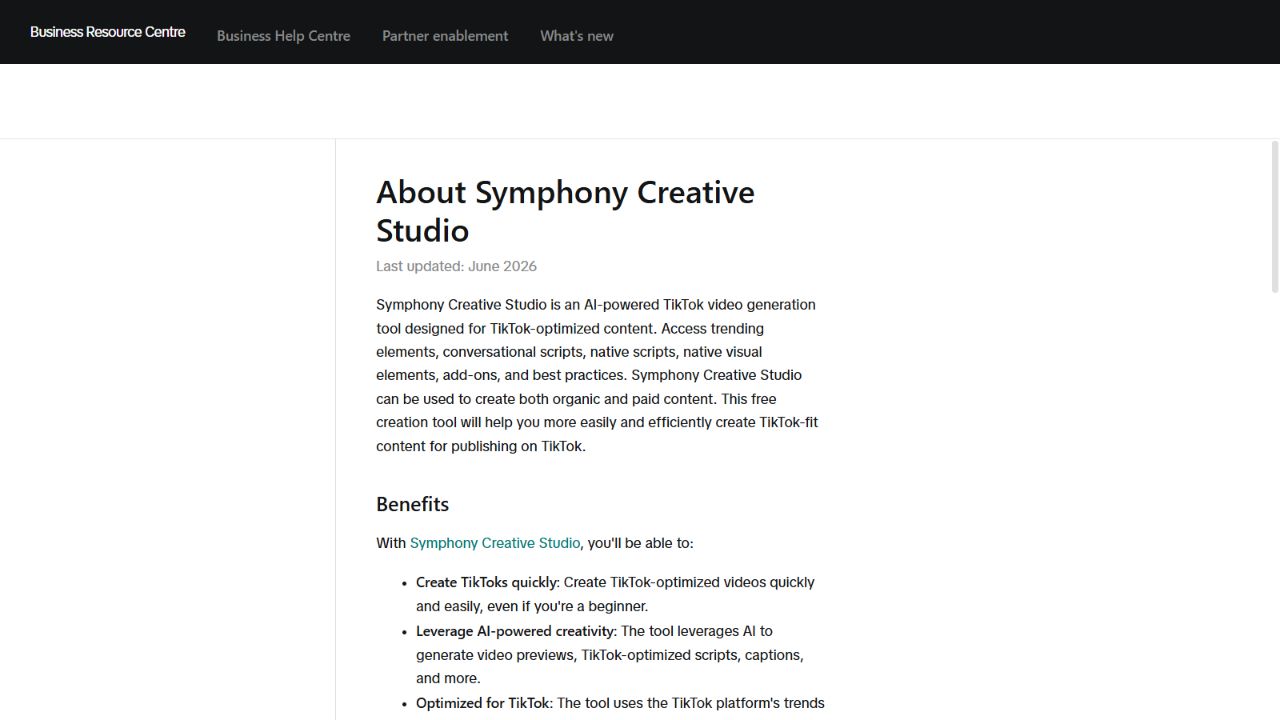
TikTok Symphony Creative Studio is a browser creation and editing tool for TikTok content. On October 11 our Starter account generated three distinct Video 1.5 Pro clips using free weekly base credits without linking Ads Manager or spending on ads. Each five-second request cost five credits. Video 1.5 Pro is an older free option explicitly approved for this test; newer Dreamina Seedance 2.0 was unavailable. Originals retain audio and AI-generated labels. This is dated account evidence, not a universal allowance; off-platform rehosting rights remain unresolved.
- AI video generation
- Video editor
- Captions
- Translation
- AI avatars
- Product URL to video
Best for
- ✓ TikTok-ready video generation
- ✓ Ad creative drafts
- ✓ Captions and video translation
- ✓ E-commerce product videos
Important limits
- • TikTok for Business account and completed profile are required
- • Applicable generative-AI terms must be read by the account owner
- • Universal quota and other accounts model eligibility remain unknown; 400 weekly was an October 11 Starter observation
- • Video 1.5 Pro is the tested older free option; newer Seedance 2.0 was unavailable on this account
- • Credits renew weekly; unused credits expire rather than rolling over
- • Three tests charged 5 credits each, 15 total; no retry, purchase, upgrade or advertising spend
- • AI-generated labels are visible in our original downloads; a universal watermark policy remains unknown
- • Resolution and aspect controls were not exposed; actual original exports measured1080×1920/9:16
- • Free generation does not establish commercial output rights; off-platform rehosting remains unresolved
- • Model-specific input restrictions apply; real-person references may be restricted
- • A generated or downloaded clip is not automatic approval for an ad or external website use
FreeAIList verdict
Useful for developing TikTok-oriented scenes and finishing editable captions in one workspace. Check the actual model allowance before generation; no fixed weekly video count is promised. Review input rights, AI disclosure and ad rules before publication.
About this practical guide
Sources checked Oct 11, 2026
Three Video 1.5 Pro account tests on October 11, 2026, using the older free option explicitly approved for this test. The signed-in Starter account showed 400 weekly base credits and no linked Ads Manager account. Each five-second request cost five credits: 400 → 395 → 390 → 385. All three original 1080×1920 H.264/AAC downloads passed full decoding and retain their AI-generated labels. Dreamina Seedance 2.0 was unavailable on this account. These dated observations do not establish a universal allowance. Off-platform rehosting rights remain unresolved; clips and posters are in the private owner review only.
Choose a free video workflow →The tested older Video 1.5 Pro workflow
We generated three distinct vertical scenes with Video 1.5 Pro. This is an explicitly approved older free option, not a Seedance 2.0 showcase. The account showed Starter with 400 weekly credits; each five-second request quoted and charged five credits. Resolution and shape controls were not exposed, but the original downloads measure 1080×1920 in 9:16.
Check account eligibility
Open Symphony Creative Studio with your existing TikTok for Business account and completed profile. Read any required terms yourself before accepting them.
Check the model and final quote
Our tests used Text to video, Video 1.5 Pro, five seconds and one output, with no uploaded references. Read the populated request quote; stop at an upgrade or advertising-spend requirement.
Generate and download the completed item
Open the finished item's Video preview and use its Download button. The inline player was only 360×640; the original MP4 was 1080×1920. Preserve the original label, audio and metadata.
Separate the account allowance from model eligibility
Our account showed 400 weekly base credits, zero bonus, no linked advertiser and no prior-week Symphony spending. Its ledger listed a 400-credit new-account entry. Three requests used 15 credits altogether; 385 remained. This verifies this account's spend-free route, not a guaranteed allowance for every visitor.
The September credit guide uses Basic/Plus/Pro names; the tested account uses Starter/Standard/Premium/Pro. Do not treat these labels as identical. The guide documents weekly renewal without rollover, while the account displayed October 12 as its next refresh.
TikTok's Symphony credit plans and renewal ↗Check a locked model before choosing a fallback
Only Video 1.5 Pro was selectable in our Starter account's tested menus. The benefits screen listed newer Dreamina Seedance 2.0 for advertising-linked Premium/Pro tiers. We did not link Ads Manager or spend on advertising. The owner approved Video 1.5 Pro as an older free alternative; that exception does not establish newer-model eligibility.
TikTok's August 2026 access guide ties direct-advertiser Seedance eligibility to a linked advertiser ID with at least USD 5,000 in advertising spend over the preceding 30 days, reviewed weekly. Agency access uses a separate representative process. It does not list account age alone as an unlock condition: waiting for a new account to get older is not a documented substitute for qualification. The September credit guide and our account use different tier names, so recheck the actual model menu and benefits before planning a request.
TikTok's Dreamina Seedance eligibility guide ↗Free creation for TikTok commercial content
TikTok describes Symphony as a free tool for both organic and paid content published on TikTok. Our Starter account generated Video 1.5 Pro clips without buying credits or spending on advertising. This supports a free TikTok-content workflow, subject to applicable GenAI terms, input rights and required AI labels; it does not establish access to Seedance 2.0 or every feature.
This scope is why Symphony appears in our free commercial-use view. Permission to rehost these generated clips and posters on an external ad-supported website remains unresolved. Check music, likeness, asset and platform conditions for the specific project; a download button does not grant unrestricted redistribution.
TikTok's free organic and paid content overview ↗Test: an origami tea-steam reveal
Five credits produced a solid ivory paper crane above a blue-rimmed cup. It stays a paper object at the end instead of dissolving back into steam. The overhead framing and absent pedestal differ from the brief. Compare the exact request with the result rather than assuming complete prompt adherence.
Example prompt to try
Vertical close-up of a plain ceramic tea cup on a small indigo pedestal. One ribbon of steam folds into a delicate origami crane above the cup, hovers briefly, then relaxes back into steam. Soft studio light, ivory and indigo palette, fixed camera, empty space above for a caption, no people, no printed words or logos.
- Can the viewer understand the steam-to-crane change without a caption?
- Does the cup keep its shape?
- Add the real caption in the editor instead of asking the model to draw text.
- Check the first and last frames for abrupt cuts or objects appearing.
Test: a paper observatory inside a book
Five credits produced a rotating brass telescope on a paper stand inside a blank book. The amber star travels through the background; the viewpoint and book orientation change despite the fixed-camera request. A complete observatory building is not clearly achieved.
Example prompt to try
Vertical overhead close-up of a plain open book on a burgundy velvet table. A tiny ivory pop-up observatory stands between its blank pages. The observatory's delicate brass telescope slowly pivots once toward a single floating amber star; the book and paper architecture stay still. Crisp handmade paper texture, warm theatrical spotlight, one continuous shot, locked camera, no hands, no lettering, no logos.
- Does the telescope pivot while the book stays fixed?
- Does the pop-up architecture remain attached to the pages?
- Does one star stay distinct without extra objects appearing?
Test: a glass flower in a tide pool
Five credits produced five translucent petals around an amber center. The flower spreads, turns and becomes larger in frame, while the pool ripples. The unfolding is readable, but the requested still stem, locked camera and mirror-still water are not fully maintained.
Example prompt to try
Vertical low-angle macro view of one translucent sea-glass flower rooted in a shallow mirror-still tide pool on black volcanic rock. Its five pale turquoise petals slowly unfold once, revealing a small warm amber pearl at the center. Keep the stem, pearl and surrounding rocks fixed. Dawn rim light, delicate caustics, realistic wet surfaces, one continuous shot, locked camera, no people, no text or logos.
- Are there five stable petals rather than changing flower shapes?
- Does the pearl remain in the center?
- Does the tide pool stay calm without a sudden camera move?
Build the final caption in the video editor
TikTok documents adding assets to the timeline, then captions, text and voiceover. Keep this first test to the generated visual and your own text; adding music or a cloned voice introduces separate rights and feature questions.
Open the finished clip in the editor
Add it from Assets and trim to the useful moment. Preview the full timeline, including the ending.
Add editable text and disclose AI
Use a short caption with readable contrast and safe margins. Keep the required AI-generated label and review content restrictions.
Export and choose Download
Inspect the downloaded file's resolution, duration and marks. Downloading a file does not establish that an ad will pass moderation; do not publish or send to Ads Manager automatically.
Check allowance, input rights and publication separately
All three requests completed without a retry. The original videos are 1080×1920, 30fps, with a 5.067-second video stream and a 5.085-second total duration including AAC audio. Full decoding passed and the archived copies match the original downloads. The visible AI-generated labels remain intact. Audio fidelity and transcription have not been assessed.
The Creative GenAI Terms link led to an Ads Manager registration screen; we did not register, link an advertiser or accept new agreements to inspect it. Off-platform rehosting rights remain unresolved. The clips and thumbnails are retained privately and excluded from production; text test records and exact prompts can be read here.
About Symphony Creative Studio ↗When to choose Google Flow instead
Flow is an alternative for short scene experiments using its documented daily credit pool. Our guide explains selecting one output and checking the charge before generating.
Eligibility, selectable models and peak-time access still depend on the account. Daily credits do not guarantee a finished clip or a commercial license.
Official sources
These links support the important free-offer claims on this page.
- Symphony signed-in Starter account test (older Video 1.5 Pro) ↗
October 11 account observation: Starter showed 400 weekly base credits, 0 bonus, no linked advertiser. Three Video 1.5 Pro five-second requests quoted/deducted 5 each:400→395→390→385. Original 1080×1920 H.264/AAC downloads retain AI-generated labels. Newer Seedance 2.0 unavailable. This does not establish a universal allowance or external rehosting license.
- Symphony credit plans, weekly renewal and generation cost ↗
September2026 guide: Basic needs no Ads Manager linkage or ad delivery. Exact Basic quantity is not stated. Credits renew Monday00:00UTC without rollover. Video generation uses one credit per second with a pre-generation quote. Account balance and model entitlement were not tested.
- Dreamina Seedance has separate advertiser eligibility ↗
August2026 guide: direct advertiser access is tied to a linked ID with $5,000 preceding30-day spend and weekly review; agencies use a representative process. This separate gate is not assumed removed by the September credit-plan guide. Current selectable model and account eligibility remain untested.
- Symphony editing, export and AI disclosure ↗
The editing guide documents Assets and timeline editing, text/captions/voiceover, Export and Download or Ads Manager. Required AI-generated labeling does not establish a universal burned-in watermark. No export or ad approval was tested.
- Symphony is a free creation tool; exact quota unknown ↗
Official overview describes a free creation tool for organic and paid content and user-owned outputs unless otherwise stated. It does not confirm a universal 400-weekly-credit amount, reset or growing allowance. Input rights and applicable terms still apply.
- Symphony generation workflow and account requirements ↗
Official help requires a TikTok for Business account, completed profile and applicable GenAI terms. Create provides generation modes and model/duration controls, with results in Library and editor/download actions. Model-specific reference restrictions apply. No universal credit quota or account eligibility was tested.